

Case Management
Manage Your
Content Processes and Cases
Ensuring that business transactions and cases are handled efficiently and in compliance with organizational procedures is challenging with manual, labor-intensive processes.
Workflow Solutions from IDT and OnBase can automate policy-controlled processes without any human interaction or allow a knowledge worker to make critical decisions by selecting the next appropriate business process improvement steps, providing both control and flexibility.
Manage all your content and processes surrounding your case work, from emails, documents, forms and tasks to approvals and denials, compliance and all your necessary verifications with Workflow and Integration Services from IDT.

Ready to Enhance Your Operational Efficiency?
Workflow is more than just simply routing documents!
Workflow software determines who to send information to, which pieces of information users need to see and interact with, and determines the proper presentation of the data – giving the user a unique interface depending on the job function and the task at hand with our software solutions.
Learn more about Workflow and Business Process Management and the solutions IDT offers by clicking here.




Case Management |
Rapid
Application
Development |
Low-Code WorkView Solutions
We would all love for everyday transactions to be neatly packaged up and run through a well-defined business process with predictable outcomes. With help from IDT and our rapid application development, low-code, and case management tools – collectively referred to as WorkView – this is possible!
Download and read:
How the casework is actually completed may vary from case to case based on the unique situation with your customer or constituent. Whether you need to process claims, open a new business to business or consumer accounts, or maintain property or parcel records, you need to know who has the work items, their previous history, where the documents are currently located, and what is necessary to get the work items completed.
Watch and see what OnBase for
Case Management can do for your business.
> Electrify your ROI with Low Code Business Applications
Our business process improvement strategy will make it easier for you to organize your documents, your processes, and your cases.
>
WorkView | Case Management datasheet
Rapidly Respond to Your Business's Ever-Changing Needs
Watch this short webinar (50 mins) to see how quickly you can build an application using WorkView — the OnBase platform’s low-to-no-code development tool.
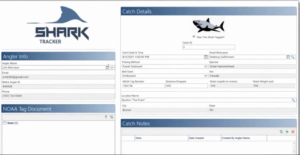
In just 30 minutes, Jim Morrison builds out a “Shark Hunting” application using a low code and the ACE Framework approach for Catch |Tag |Release wild-life tracking – referred to as Apex Predator Tagging Program sponsored by NOAA.
A WorkView product specialist will demonstrate how:
- Low-code/no-code can help solve departmental business challenges
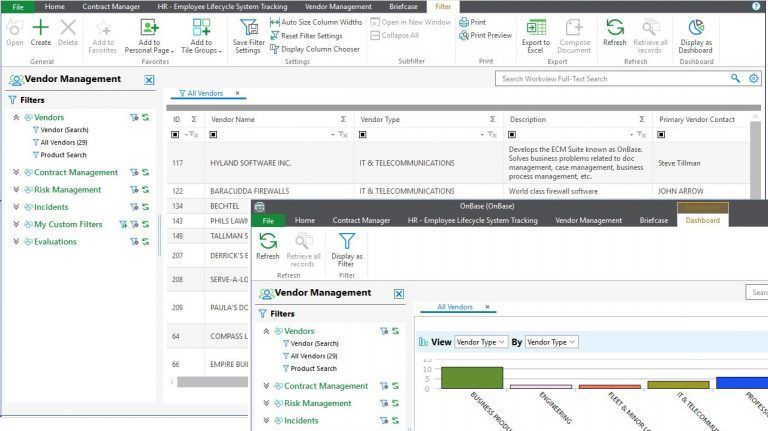
- WorkView integrates with OnBase productivity tools, such as Forms, Workflow, and Dashboards
- The Application Creation Excelerator (ACE) framework can change your approach to new solutions
While many Case Management cases start with a planned action and can be streamlined for efficiency, others can be very unpredictable and surface randomly during the course of the customer or constituent relationship. Your skilled knowledge workers need to be fully equipped to handle unplanned events while simultaneously providing the highest levels of high-touch customer and constituent service.
OnBase’s single, digital content services and case file solution provides quick and easy access to all the documents, data, and process events required for accurate decision-making. Compared to a custom-coded solution, the Hyland OnBase Content Services Platform solution can be rapidly deployed for any case-based process in a fraction of the time with our software solution services.
OnBoarding Content into App Builder or Case Management is a SNAP!
with IoT Smart Connected Scanning Solutions from IDT
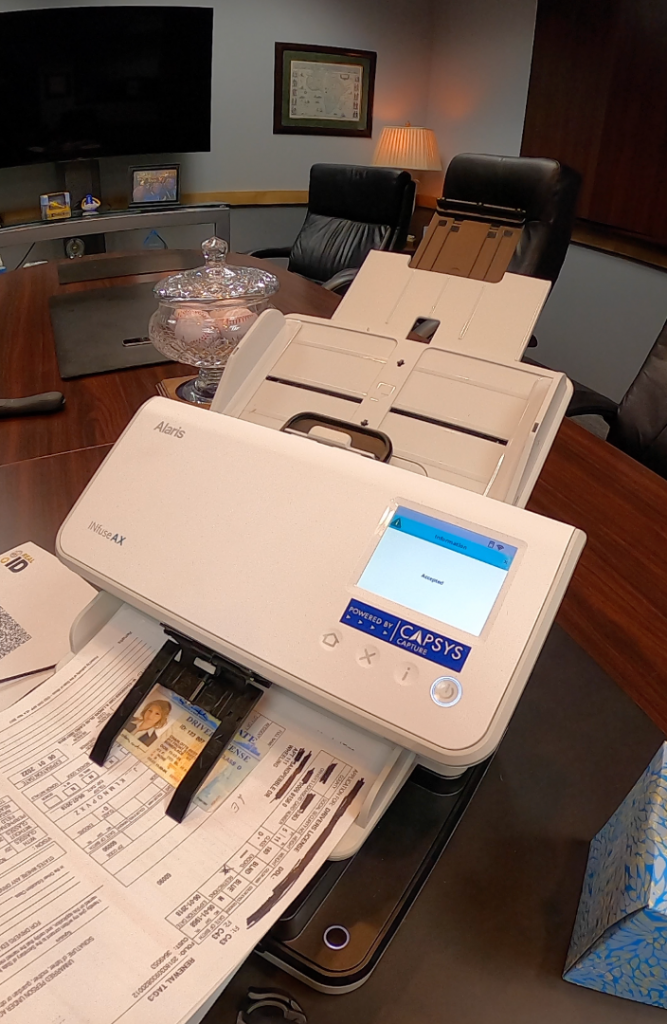
Use IoT Smart Connected Scanning solutions from IDT and Kodak Alaris to provide PC-less, point-of-origin capture into your Case Management | App Builder environment. In fact with IoT Smart Connected Capture solutions, we will show your organization exactly how you can provide the industry’s safest, securest, easiest to deploy data document capture and delivery solution to Enterprise File Sync and Share environments available in the marketplace today!
With an IoT Smart Connected Scanning solution for your App Builder Case Management environment, point-of-origin document capture can be delivered without requiring any IT involvement. Business users can deploy IoT Smart Connected Scanning solutions. No messy TWAIN or ISIS driver installation or configurations – zero, zilch, nada! Does it sound way too good to be true?
Learn about IoT Smart Connected Scanning solutions via CAPTURE CAPITALIST’s Podcast by clicking here and we will show how point of capture can be achieved without IT, without PC’s, without all the IT Tower of Babel.
Whether Case Management | App Builder is used for internal-facing applications and projects, or externally facing applications and projects such as Human Resources, Government Infrastructure/Permitting/Plan Review Projects, Vendor / Supply Chain Partner Portals, Higher Education Transcript Sharing, IoT Smart Connected Scanning solutions from IDT are the key to capture content at point-of-origin in the fastest, most secure and easiest manner in the industry –period!
Application Creation Excelerator
(ACE) Starter Packs and WorkView
Use Cases
There are many use cases for WorkView and immediately below we’ve identified some common applications or projects frequently requested to assist our customers. Below is a list of Concept Solutions that can serve as a launchpad for your WorkView application needs.
If any of these resonate with you, contact us and we can schedule a personalized Virtual WorkView Workshop for you and your team members to demonstrate the Rapid Application Development framework in just a couple of hours of your time!
Common or frequently requested use cases include but are not limited to:
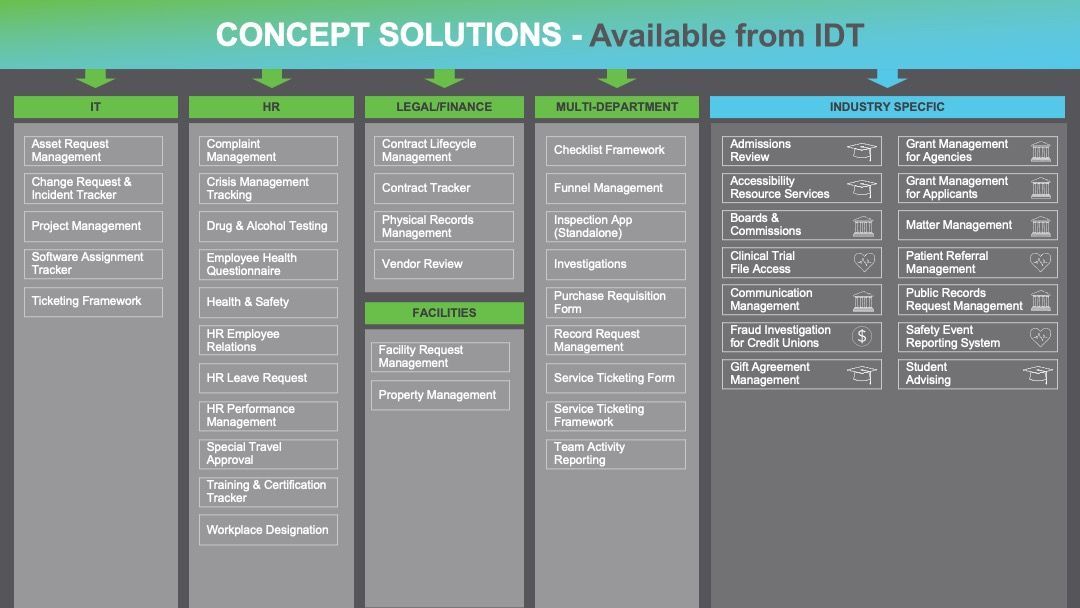
And, we have even more use cases for WorkView, Low-code, Rapid Application Development for you to consider! These include:
| Accrual Management | Boards and Commissions | Customer Invoice Generation Tracking | Health and Safety | Inspections and Citations | Lease Management | Special Travel Approval |
|---|---|---|---|---|---|
| Admissions Review | Capital Expenditures | Data Review Process | HR Employee Relations | Medical Device Manufacturing Process | Student Advising |
| Aircraft Data and Document Management | Change Request and Incident Tracker | Employee Health Questionnaire | HR Leave Requests | OnBoarding | System Administration |
| Applications for Auto Test Drives | Complaint Management | Employee Management | HR Performance Management | Patient Referral Management | The Base ACE Configuration |
| Asset Request Management | Compliance | Environmental Case Management | Import and Reception Process | Policy Administration | The Help Text App |
| Archival Processing | Configuration Management | Facilities Management | Incident Management | Project Resource Recruitment | Ticketing Systems Framework |
| Benefit Enrollment Tracking | Contracts | Financial Document Preparation | Inventory Tracking | Project Tracking | Vendor Management and Review |
| Bidding Qualifications Management | Credit Review | Grant Application Tracker | Investigation | Property Management | |
| Bill of Ladings Distribution | Crisis Management Tracker | Grant Management for Agencies | IT Ticketing | Software Assignment Tracker | …and our list is growing! |
Data and Document Capture for Case Management
Distributed and centralized data and document capture software for content services is vital to a Case Management system. CAPSYS CAPTURE streamlines the process of acquiring data and documents securely and efficiently for content services, business process improvement, and document imaging and document management systems. CAPSYS CAPTURE’s scalable and extensible server software also allows for automated ingestion of emails and attachments from Microsoft Office 365, Lotus Notes, Exchange, Yahoo Mail, Google Gmail (and other mail servers), XML-generated content, fax servers, and content originating from the mobile e-tablet marketplace.
Inject paper-based documents or electronically generated content into your Case Management solution using IoT Smart Connected Scanning powered by CAPSYS CAPTURE ONLINE.
CAPSYS is tightly integrated with OnBase and ShareBase by Hyland software for content services, case management, and enterprise file sync and share services using Hyland’s API technology.
Contact us for more information about our Case Management Software solutions, Content Services Platform, and Enterprise Content Management services. We are based in Itasca, IL, with offices in Colorado, California, and Florida, and serve clients nationwide.
Testimonials
Latest Resources
IDT’s clients share our passion for results and it shows in their success. Learn more by reading our featured client results stories.
Here you will find a collection of information and resources in the form of videos, events, white papers, Q&A, and have the opportunity to read and watch what our clients are saying about their ROI-driven Content Services solutions provided by Integrated Document Technologies, Inc. (IDT).